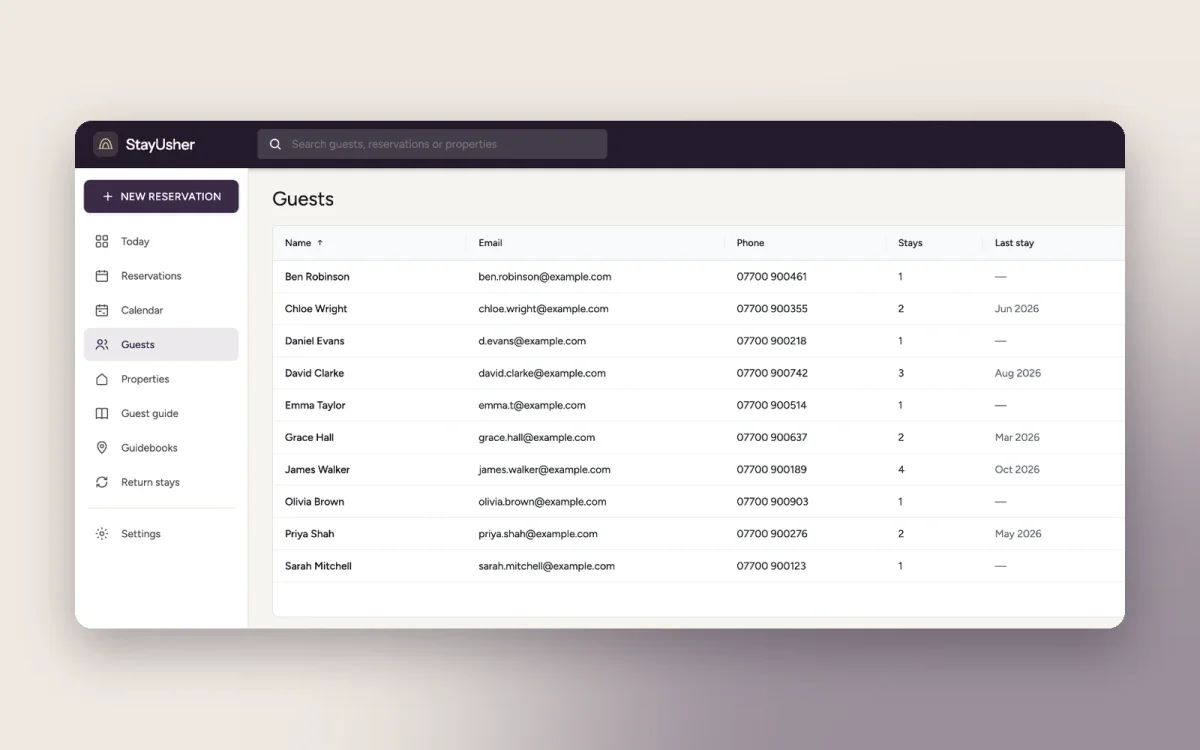
A guest register is most useful when it connects the people who stayed with the dates, property and booking record. A separate spreadsheet becomes difficult to maintain when those details have to be copied by hand.
StayUsher lets independent hosts export a guest register as a CSV for a chosen arrival-date range. The file brings together the recorded guest information, party details and stay references so you can keep or review the period you need.
It is part of the same organised guest journey. Collect the information during preparation, use it while looking after the stay and download a record when you need to work with it outside the app.
What is included in the guest-register export
The register brings several kinds of information together in one row for the reservation:
- Arrival and departure dates.
- The property name and lead guest.
- Recorded nationality and companion names.
- Adult and child numbers.
- Guest phone and email details where recorded.
- Online check-in completion information.
- The booking source and reference.
That combination gives the file context. A name alone does not identify which visit is being reviewed, and a date alone does not explain who stayed. The export keeps the guest and reservation details connected.
Choose the period by arrival date
Open the register export and choose the arrival dates you want to include. The date range defines which reservations appear in the file.
This makes it straightforward to review a particular month, holiday period or other set of arrivals. The file name identifies the chosen range so you can recognise it later.
Be clear about the question you are answering. A register selected by arrival date is different from a list of everyone present on a particular night or every departure during a period.
Starting with that distinction helps you use the right record. StayUsher gives you a defined export rather than an ambiguous collection of rows whose selection you have to reconstruct afterwards.
Download a format you can use
CSV is a common format for opening structured information in a spreadsheet. The export uses labelled columns so the purpose of each field is clear.
You can keep the downloaded file with your business records or use it for a particular review. The original guest and reservation information remains in StayUsher.
This is useful when you need a portable copy of a period rather than another view inside the app. You can review the records, sort the columns in your spreadsheet or share the file through the process you use for appropriate business records.
Keep the export’s role clear. It is a snapshot of the selected information at the time you download it, not a second reservation system that automatically changes with later edits.
Collect the information through the guest journey
A useful register starts with the information recorded for the stay. Online guest check-in gives guests a place to provide their details before arrival.
Review the preparation while there is still time to resolve a missing detail or an unclear response. That is more practical than discovering gaps when you need the export later.
The guest’s record and reservation provide the context for the information. You can return to the relevant stay when something needs checking.
The value comes from connecting collection with use. Instead of treating the register as a separate administrative project, you build it from the preparation already associated with the visits you manage.
Keep lead guests and companions understandable
The export identifies the lead guest and includes companion names recorded with the reservation. Adult and child counts provide the wider party information.
These fields serve different purposes. A lead booker’s name gives the stay a main contact, while the companion field records the additional names supplied for that visit.
Review the current reservation if you need to clarify a party detail. A returning guest may travel with different people, so use the information attached to the particular stay rather than assumptions from earlier visits.
Keeping the fields connected with the reservation makes the record easier to interpret. Someone reading the CSV can see the context without searching a separate list for the property and dates.
Review the online check-in record
The register includes the recorded online check-in completion information for the stay. This helps distinguish a reservation from one whose guest preparation has been completed.
Use the arrivals dashboard for the live work of following up unfinished preparation. Use the export when you need a record across a selected period.
The distinction matters because the two views answer different questions. Today’s arrival view helps you decide what to do next; the register gives you information to keep or review.
Both draw on the same guest journey. That is what makes the record useful without requiring the host to maintain another independent version of each stay.
Keep booking sources visible
An independent business may receive direct reservations and bookings through several channels. The register retains the booking source and reference alongside the stay.
That makes it easier to trace a row back to the original arrangement when you are reviewing a particular visit.
StayUsher’s reservation management provides the working record, while compatible calendar feeds help bring channel dates into the arrival picture.
Keep the source reservation available for the wider booking information it provides. The register gives you a useful joined-up record of the selected StayUsher data, with enough context to identify the relevant stay when you need to investigate further.
Use the export alongside guest profiles
A CSV is useful across a date range. A guest profile is useful when the question begins with a person.
The profile brings together contact details, stay history and private notes. From there, you can move to the reservation that concerns the question.
Use the two views for their different purposes. Export the period you need, then open the relevant guest or booking record if a particular detail needs attention.
This keeps the app as the working source for the visit while giving you a portable record when required. It also reduces the temptation to add private relationship notes to an exported list that was intended for a different use.
Make a regular record-keeping routine manageable
Choose a routine that fits how you review the business. Some hosts will want a monthly register, while others may work around a season or a particular reporting period.
Use a consistent way of naming and storing the files. The export already includes the date range in its name, which gives you a useful starting point.
Check the selection before relying on the file. Confirm that the arrival dates cover the period you intended and that the expected properties are represented.
A short, repeatable routine is more dependable than trying to reconstruct several months of records at once. The purpose is to make the administrative task clear enough that it does not take attention away from current guests.
Understand what changes after a download
An exported file records the information available when it was created. If a reservation or guest detail changes later, the file you saved does not become a live copy of that update.
Return to StayUsher when you need the current record. If the review requires an updated export, download the relevant date range again and make the new version identifiable.
This is a normal distinction between a working system and a portable file. It helps you avoid treating an older spreadsheet as the most recent view of a stay.
The guest and reservation records remain connected in the app, so you have a clear place to check the underlying information before deciding which copy to use.
A practical example for a guest house
Imagine a guest house reviewing the previous month’s arrivals. Some bookings came directly from returning guests, while others arrived through online channels.
The owner chooses the month’s arrival-date range and downloads the register. Each row identifies the stay, property, guest and booking source.
If a contact detail needs checking, the owner returns to the guest profile or reservation rather than correcting an unrelated spreadsheet and forgetting the original record.
The export supports the review without becoming a separate account of the business. The same preparation used to welcome guests provides the information for the administrative task afterwards.
A practical example across several properties
An operator with several cottages may want to review arrivals across a busy holiday period. The property column keeps the records understandable when the stays are brought together.
The operator can use the spreadsheet to review the selected period and return to individual reservations when a row needs more context.
This is particularly useful where guests arrive from several booking sources. Dates, property names and references travel with the guest information rather than living in separate lists.
The benefit is clarity across the collection. Each cottage retains its own preparation and guest experience, while the register provides one structured view of the selected arrivals.
Give the people doing the review clear context
If someone else handles the record-keeping task, explain what the export contains and how the date selection works.
They should understand that the range is based on arrival dates, that the file is a snapshot and that a question about the current stay can be checked in the app.
Agree where the working files belong and who needs them for the task. A useful handover is about the purpose of the record as well as the file itself.
That makes the register easier to use accurately. It also helps keep the host’s private operational notes and the guest-facing information in their appropriate places.
Keep the administrative record connected with good hosting
Accurate records begin with a clear request to the guest. Explain the check-in preparation in a way that makes sense for the stay and give people a route to ask for help.
The information they provide can then support both the welcome and the record of the visit. You can see what is complete before arrival and export the relevant period later.
StayUsher is designed to bring those jobs together. The guest should experience an understandable check-in, while the host has a useful record that does not need to be recreated from scattered messages.
That is a practical part of independent hospitality: dependable administration that gives you more room to pay attention to the people staying.
Start with a period you know well
For your first export, choose a short period with reservations you recognise. Check the column headings and compare a few entries with their bookings.
Confirm how dates, companion names and the check-in information appear in the spreadsheet you use. Keep the source records available while you familiarise yourself with the file.
Once the format and selection are clear, use the same routine for the periods your business needs. The plans page explains the wider StayUsher offering around reservations, guest preparation and team access.
The register is one part of that connected picture. It helps you take a useful record away from the app while keeping the original visit at the centre of the information.
Review a property within the exported period
Once the CSV is open in your spreadsheet, the property column gives you a clear way to focus on one accommodation within the selected arrival period.
Keep the original export identifiable and use the spreadsheet’s filtering or sorting tools for the review you need. The dates and booking references remain alongside each record, so you can return to the relevant stay for more context.
This is useful when several properties contribute to the same register. You can work with a shared export while keeping the individual accommodation and visit understandable throughout the review.
Questions about guest-register exports
What format does the register use?
StayUsher exports a CSV with labelled columns for the guest, stay, property and booking information.
How do I choose which stays are included?
Select the arrival-date range in the export dialog. The download identifies that range in its filename.
Does the file include companion names?
It includes the companion names recorded with the reservation alongside the lead guest and party numbers.
Is the exported file a live connection?
It is a snapshot at the time of download. Return to the app for current records or generate a new export when you need an updated copy.