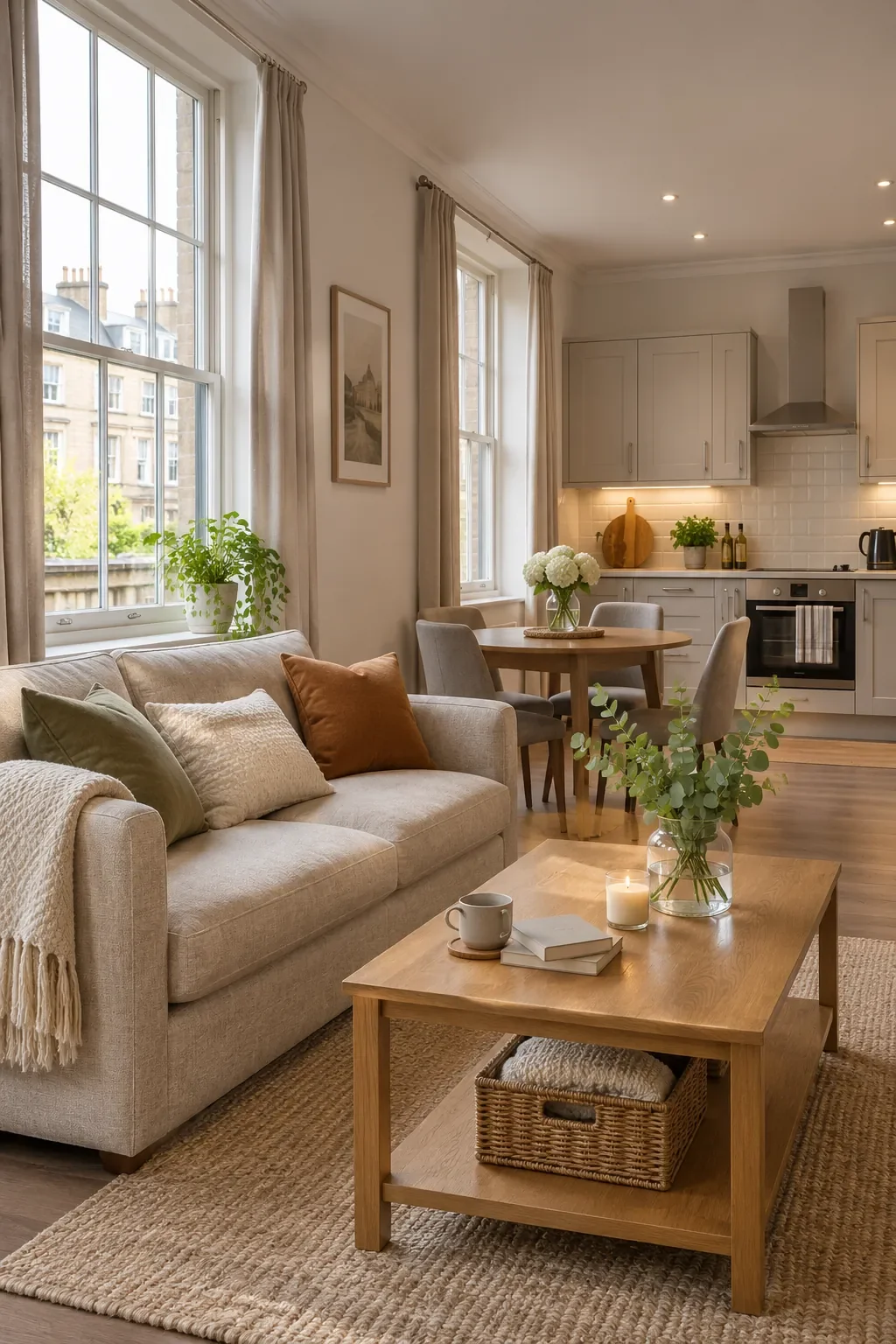
The character of a property is part of why a guest chooses it. Its practical details are part of what makes the stay work.
StayUsher brings property information, photographs, arrival arrangements and connected services into one place for independent hosts. You can prepare each accommodation with its own facts while using the wider guest experience consistently across the business.
That gives the welcome a more dependable foundation. The guest sees the right place, reads the relevant instructions and receives information that reflects the accommodation they have actually booked.
Give each property a clear identity
Start with the name and address used for the accommodation. Keep them recognisable to the guest and useful to the people managing the stay.
Add the practical information that defines the visit, including capacity, arrival time and departure time. Review it against the arrangements you intend to provide.
These details sit behind the guest experience, the reservations and the arrival information. Keeping them organised reduces the need to copy the same facts into several separate notes.
For a business with several properties, a clear identity also makes everyday decisions easier. The person answering a question should be able to tell which accommodation is involved before giving an instruction.
Prepare arrival and departure information together
The start and end of the stay are closely connected with the way you prepare the property.
Set the arrival and checkout times, then make the surrounding instructions clear. Explain how the guest reaches the entrance and what they need to do when leaving.
Review those arrangements alongside the physical changeover. The times shown to guests should reflect how the accommodation is prepared and handed over.
StayUsher gives the property details a home that connects with reservations and guest preparation. A useful setup keeps the ordinary facts consistent while leaving the host free to decide on a particular exception.
Keep access, Wi-Fi and directions with the property
The access settings bring together the practical information guests need when arriving: the code or key-safe details, Wi-Fi information, arrival notes and parking directions.
Write each part for someone unfamiliar with the building. A correct postcode can still lead to the wrong entrance, and several doors may need different explanations.
Use the property record for the working information, then review the guest arrival experience to see how it reaches the visitor.
When the physical arrangement changes, update the relevant details and communicate with any affected guest. Keeping the information organised makes that review easier because the ordinary handover is attached to the property it describes.
Make house rules specific to the accommodation
A cottage, guest house and apartment can have very different arrangements for parking, visitors, shared spaces and the use of facilities.
Prepare the house rules and cancellation information for the actual property. Keep the wording consistent with the arrangements made when the guest booked.
Agreement acceptance brings the relevant terms into the check-in process. Clear property information gives that request a useful foundation.
The purpose is a stay that people understand. A specific explanation of the parking space or shared entrance helps the guest make the right decision, while a generic warning leaves them to work out what applies.
Use the breakfast setting where it belongs
Some properties serve breakfast and need the associated guest preparation. Others do not.
The property setting lets you reflect that difference. Where breakfast is part of the accommodation, guests can provide the useful time and dietary information through the preparation process.
The breakfast preferences feature gives those requests a place before the first morning. The host can review what has been asked and prepare the arrangement.
This is a small example of why property-specific setup matters. A consistent guest experience can still recognise that different accommodation has different services and different information needs.
Add photographs that help guests recognise the place
Property photographs do more than decorate a page. They connect the guest’s information with the accommodation they chose.
Upload images that show the character of the property and the practical details useful to a visitor. An entrance photograph can answer a different question from a picture of the sitting room.
Keep the collection representative of the actual stay. A guest should recognise the building, room or apartment when they arrive.
The branded guest portal carries that presentation into the visit. Your images give the information an identity, while the words explain what the guest needs to know.
Arrange the gallery and choose the first impression
You can reorder the property photographs. The first image in the sequence provides the cover used to introduce the accommodation.
Choose that image deliberately. It should make the property recognisable and support the impression you want the guest to have.
Then arrange the remaining photographs in a useful order. The collection can show the accommodation’s character while making practical details easier to understand.
Review the result on a phone as well as a larger screen. A composition that works as a full photograph may be less clear in a smaller cover area. The useful test is whether the guest can recognise the subject and connect it with the place they are staying.
Keep property photographs current
Review the gallery when the accommodation changes. A refreshed room, altered entrance or new arrangement can make an older image less useful.
Remove images that no longer describe the stay accurately and add the current view where it helps.
Check practical pictures particularly carefully. A guest using an entrance photograph to identify the building needs it to match what they see.
The aim is a gallery that feels maintained. Consistency between the photographs, the written information and the actual property is part of a considered welcome.
Keep calendar connections attached to the right property
A calendar feed needs to represent the accommodation it belongs to. That connection is easier to review when it sits within the property record.
StayUsher’s calendar settings let you connect compatible feeds, see their status and review problems with a particular link.
The property also has a calendar link you can share with supported booking sites. That provides a route for the stays recorded in StayUsher to appear in the receiving calendar.
Keep the sources understandable as the business develops. A replaced listing or a changed booking setup should prompt a review of the feed associated with the property, rather than leaving several old links whose purposes are unclear.
Review the upcoming stays in context
The property view connects the accommodation with its upcoming reservations. You can move from the place to the visits you are preparing there.
That is useful when reviewing a change to the property information. You can consider which guests may be affected and open the relevant booking for the next action.
The calendar and reservations views provide the broader picture across the business, while the property gives you the specific context.
Together, these routes let the host start from the question in front of them. A problem with one entrance begins at the property; a guest enquiry begins at the reservation. The information remains connected.
Offer services that fit the property
Some extras belong across the business, while others make sense only at one accommodation.
The extras controls let you create an offer, set a price or enquiry option and decide where it is available.
Review the offer against the property and the people who prepare it. A hamper, early arrival or equipment request needs a clear way to be fulfilled for the particular stay.
Keeping the property and the offer connected helps prevent a generic menu from promising something that does not suit the accommodation. The guest sees a relevant choice, and the host can make a decision in context.
Combine practical guides with local knowledge
The property has ordinary information guests need during the stay: facilities, equipment, shared arrangements and checkout.
Property guides give those answers a place, with sections that can apply across the business or to one accommodation.
A local guidebook adds your recommendations for the area. You can choose the guide associated with the property and change the guide for a particular reservation where useful.
The two kinds of information work together. Guests can find a practical answer about the building and then explore the advice that helps them enjoy the place around it.
Carry the business’s identity through the visit
Business branding settings provide the name, logo, colours and welcome message used around the guest experience. Contact details give guests a route back to the host.
The property photographs and practical information then make the particular accommodation recognisable within that welcome.
On Hospitality, the white-label option removes the StayUsher attribution from guest pages and emails. That gives operators another presentation choice while retaining the same prepared guest journey.
The important outcome is continuity. The guest should recognise the place and the host’s voice across the information they receive, rather than feel that arrival has been handed over to an unrelated experience.
Make a useful review before the next busy period
Choose a property and work through its information as a guest.
Check the name, address, arrival and departure times, house rules, access details and photographs. Open the guest presentation and see whether the practical sequence is clear.
Then review the calendar connections and upcoming stays. Confirm that the property is represented correctly and that any change reaches the relevant preparation.
A focused review is more useful than repeatedly adding new content. The aim is accurate information that makes the next visit easier to understand.
Keep the responsibility for changes clear
If several people help with the business, agree who maintains property information and how changes are communicated.
An updated code or parking arrangement can affect the portal, a saved message and a guest who is already travelling. The working record is the starting point, but the actual handover may need a direct update.
Team access and roles help you organise who works with the business. Keep the practical responsibility just as clear.
That gives the property a dependable source of information while leaving the team able to respond when a particular stay needs attention.
Prepare each property without losing the wider picture
Independent operators often manage accommodation with different layouts, locations and character. Each deserves information that fits it.
StayUsher gives you property-level details and photographs alongside connected reservations, guides and guest preparation. You can keep the facts specific without losing the working view across the business.
Start with one accommodation and make its information accurate and useful. Then use the same review process for the rest of the collection.
The plans page explains property coverage and the wider guest and team features. The purpose is to support the care you already put into the accommodation with a clear way to maintain the information around it.
Use the property overview to spot what needs attention
The property overview brings the cover image together with useful information about upcoming stays and calendar connections. It gives the host a starting point for deciding which accommodation needs a closer look.
A feed that has not refreshed as expected should lead you into the connection details. An upcoming arrival should lead you to the relevant reservation and its preparation.
The summary does not have to contain every fact to be useful. Its job is to help you reach the right record quickly, with the property clearly identified and the important next question visible.
Questions about property and photo management
Can each property have different access instructions?
Yes. Keep the relevant arrival notes, parking information, code and Wi-Fi details with the property they describe.
Can I change the cover photograph?
Reorder the property photos so the image you want to lead with is first in the collection.
Can I choose whether a property asks about breakfast?
The property setting lets you reflect whether breakfast is part of the accommodation and guest preparation.
Can I see bookings for a particular property?
The property view connects with upcoming stays, and the reservations list can be filtered to the accommodation you need.
Where do I set the business logo and colours?
Use the business branding settings for the shared identity, then prepare the property photographs and information that make each accommodation recognisable.